Your Kawasaki,
fully connected.
Navigation arrows on the TFT, the bike's live data on your phone, ride analysis, a gear-shift coach and a service plan that knows your model. One independent app, no login.
Android · Rideology-compatible Kawasakis from 2019 on · 28 languages
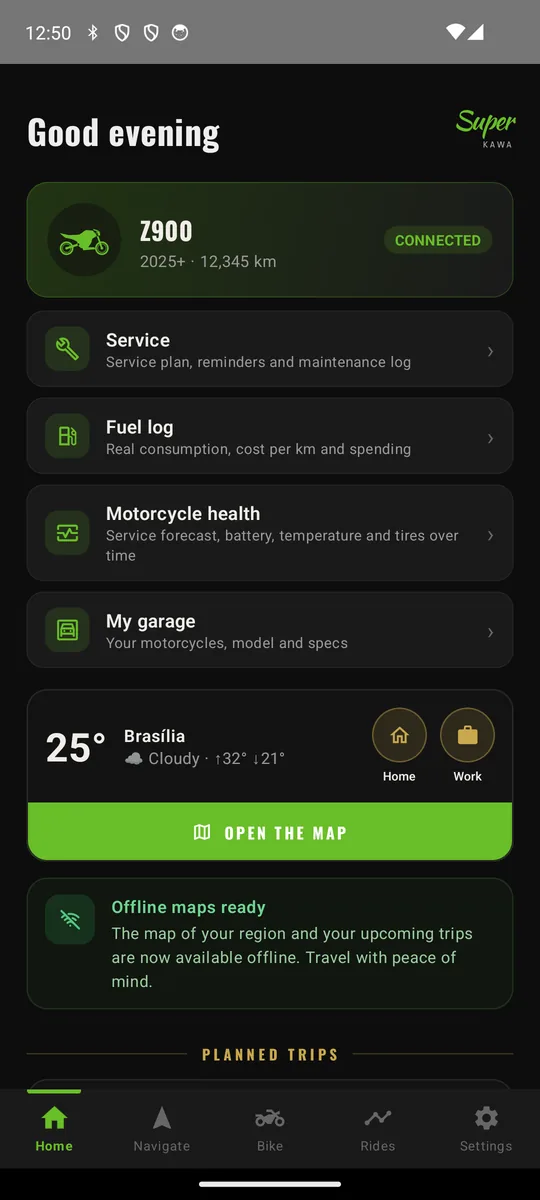
Everything the bike knows.
Everything you need.
Super Kawa talks directly to the dashboard over Bluetooth Low Energy, the same link used by Kawasaki's own app. That means real data from the bike, not estimates.
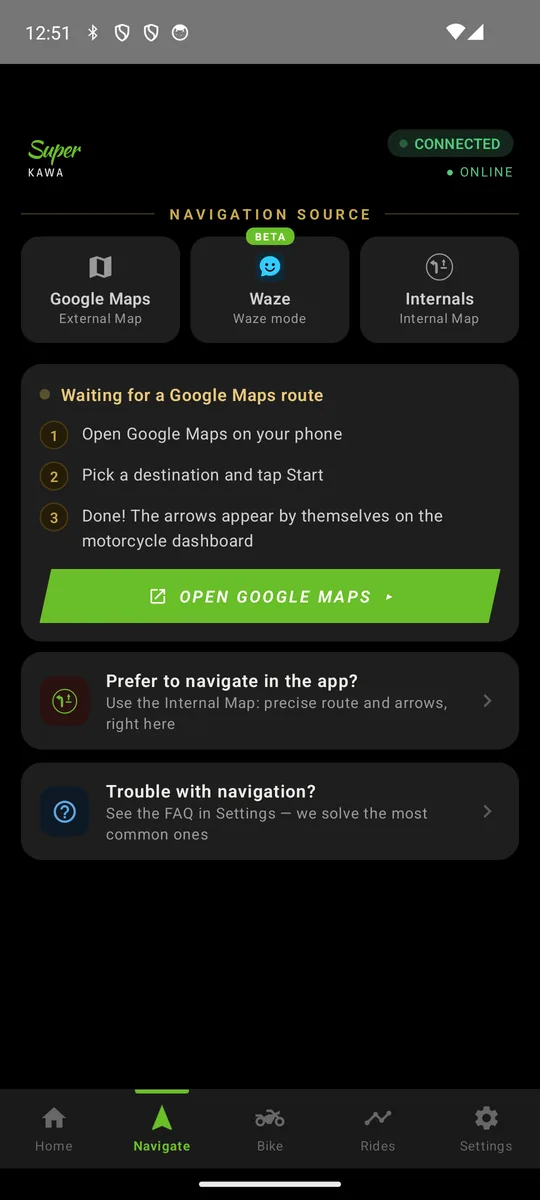
Arrows on the dashboard, from the map you like
Turn-by-turn on the TFT on models that support it, with voice on the phone for the rest. Pick your source:
- Internal map: our own offline navigation, address search, routes with stops, voice, speed limit and speed camera alerts.
- Google Maps: navigate as usual and the turn and distance go to the dashboard.
- Waze: a compatible Waze build sends turns and Waze speed cameras to the bike.
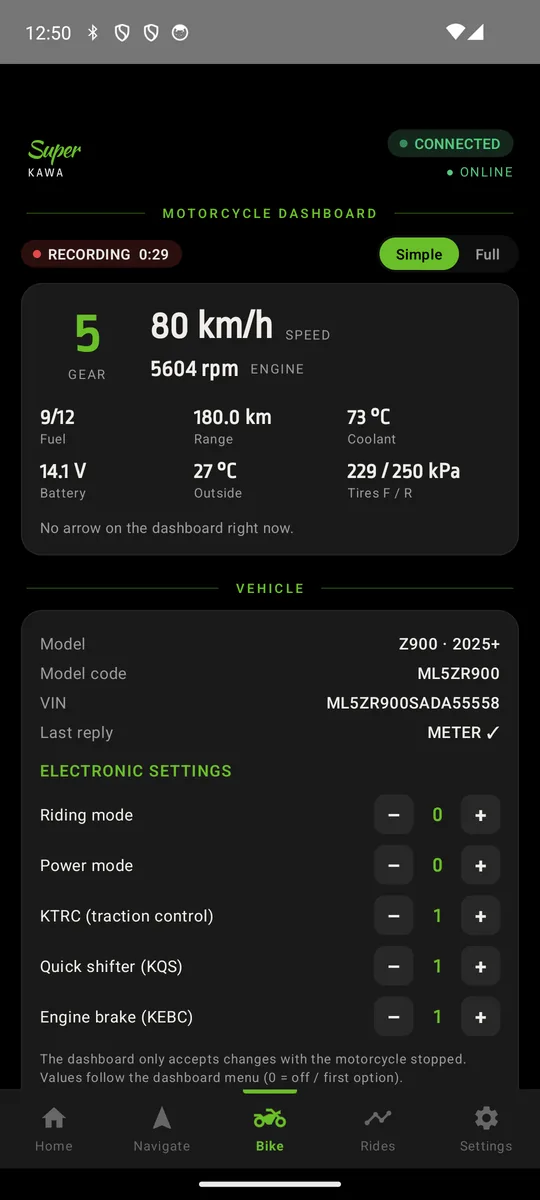
The bike's live data on your phone
Gear, RPM, speed, throttle, lean angle, coolant and intake temperatures, battery, fuel and range, tyre pressures, odometer, trips and average economy, plus the electronic settings in use.
- Model and VIN identified automatically when the dashboard connects.
- Alerts for overheating, low battery, low tyre pressure and fuel reserve.
- Pick the cards and their order, units and theme.
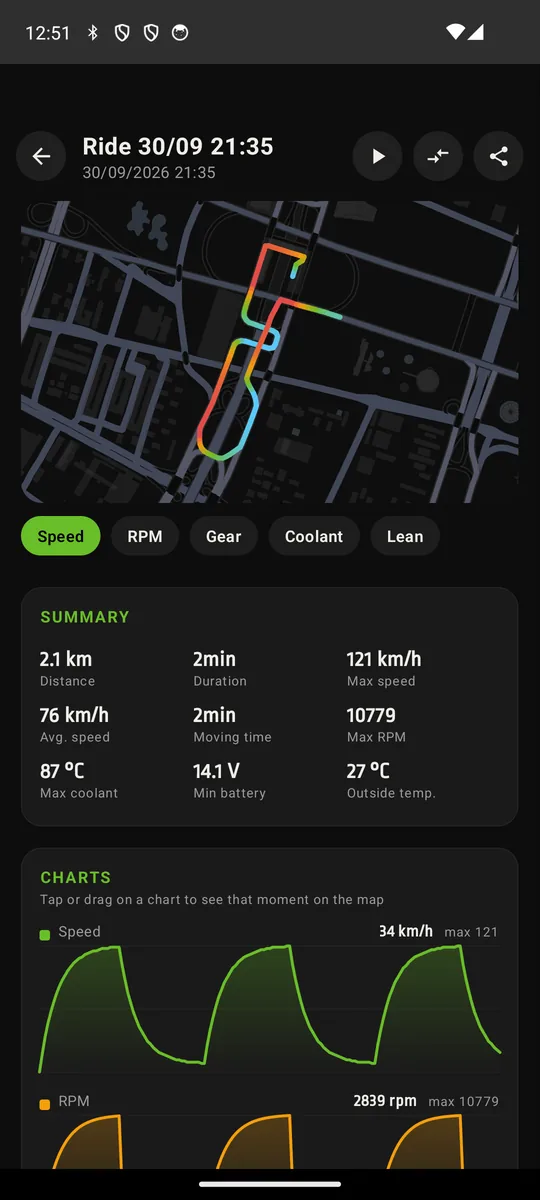
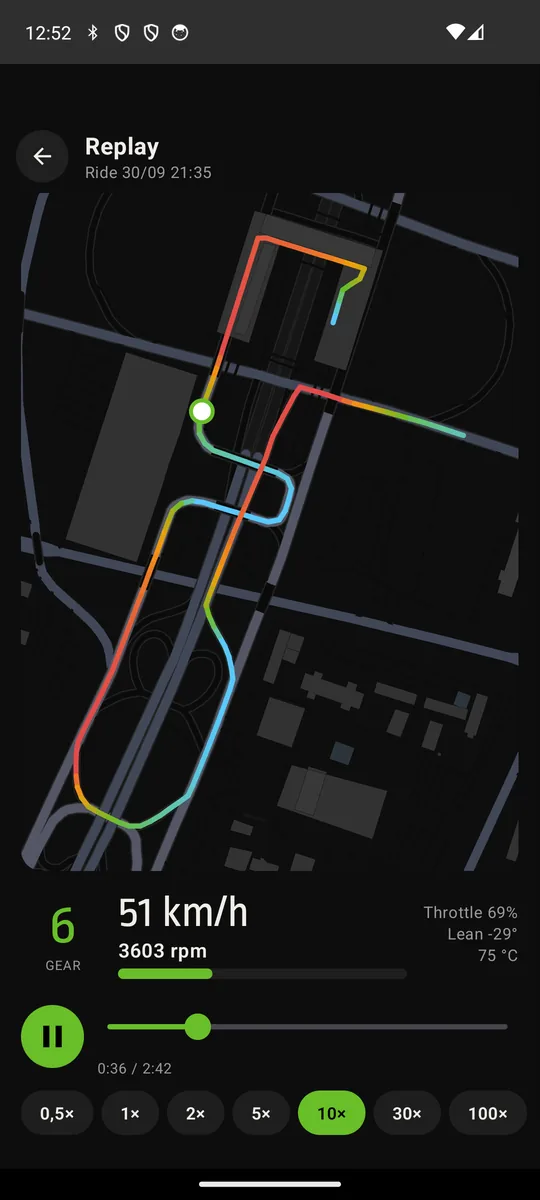
Every ride recorded, charted and replayable
Rides are saved automatically while the dashboard is connected: the route on the map, speed, RPM, gear, throttle, lean and temperatures over time, synchronised with the map.
- Replay the ride on the map with the live gauges, from 0.5× to 100×.
- Compare two rides on the same road.
- Export to GPX with the bike data.
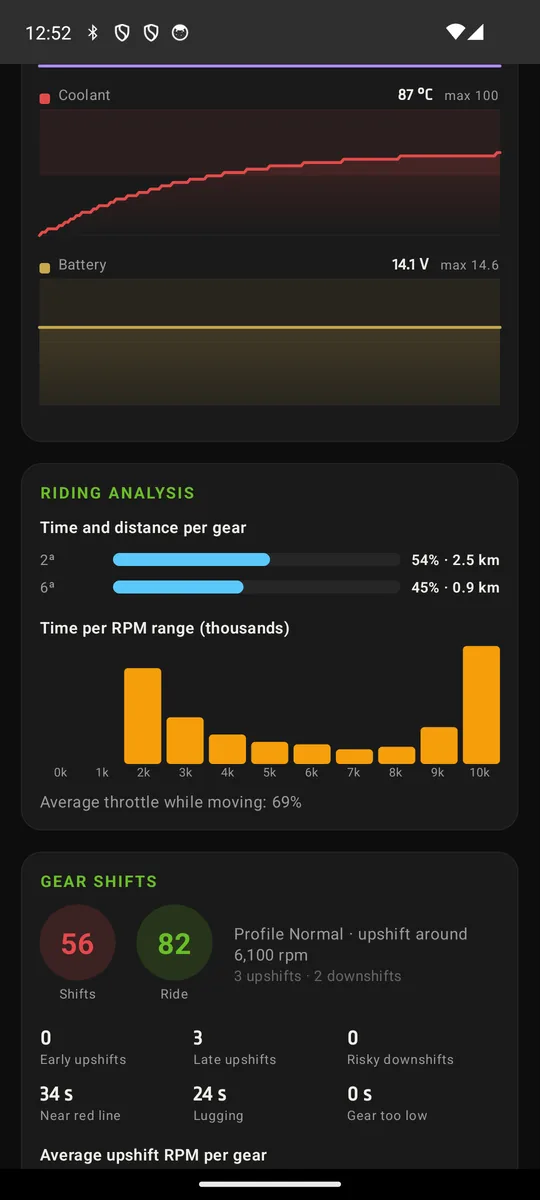
Learns your gearbox. Tells you how you shift.
Super Kawa learns the ratio of each gear from your own rides and scores every shift against your model's torque and power curves.
- Spots over-revving, lugging, early and late upshifts and risky downshifts.
- Eco, Normal, Sport or your own RPM targets.
- Optional short voice alerts while riding ("high RPM").
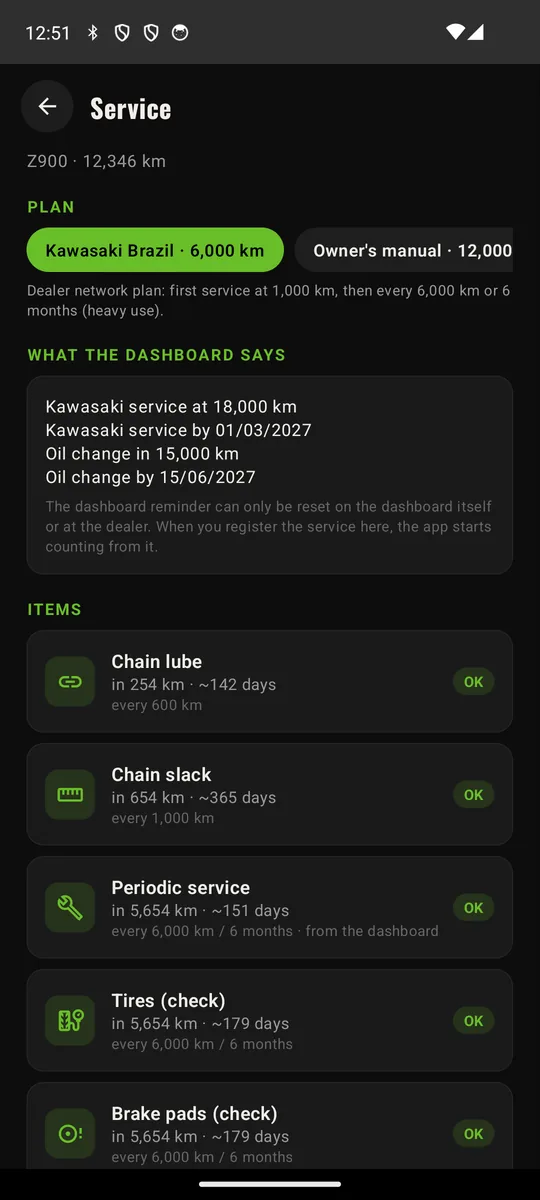
A service plan that knows your bike
The dashboard's own reminders combined with a full plan by km and by date: oil and filter, air filter, spark plugs, valve clearance, brake fluid, coolant, chain and more. Everything editable.
- Log what was done, where and how much it cost.
- Fuel log with real consumption between full tanks and cost per km.
- Refuel detected automatically when the fuel level jumps with the bike stopped.
And the details that make a difference
Garage with several bikes
Each bike keeps its own rides, service plan and fuel log. The right one is picked when it connects.
Pocket mode
Reconnects by itself when you switch the bike on and keeps working with the phone in your pocket and the screen off.
Calls and messages on the TFT
Call and message icons on the dashboard when the phone rings or a notification arrives.
Clock and shift lamp
The dashboard clock is set from the phone, and the shift lamp can follow your gear-shift profile.
Private by design
No account, no login, no ads. Your rides, garage and logs live on your phone.
Backup without an account
Export everything to one file, or let the app back up weekly to a folder you choose.
Hybrid and electric (experimental)
Traction battery, EV/HEV mode, e-boost and electric range on the Ninja 7 Hybrid, Z7 Hybrid and e-1.
28 languages
Metric or imperial units, km/l, L/100 km or mpg, °C or °F, bar, psi or kPa.
Made for Rideology-compatible Kawasakis
From the 2019 dashboards to the 2026 range. The newest TFTs also draw navigation arrows sent by the app.
 Naked
Naked Sport
Sport Retro
Retro Dual-sport
 Supersport
 Hyper
Hyper Adventure
 Cruiser
 Hybrid
 Electric
Ride it before everyone else
We are looking for riders with Rideology-compatible Kawasakis to test Super Kawa on real bikes, all over the world.
- Lifetime access to every paid feature
- Direct line with the developer in the WhatsApp group
- Your bike helps shape the app
Questions riders ask
Does it work with my bike?
If your Kawasaki works with the official Rideology app (most models from 2019 on), Super Kawa can connect to it. Check your model on the compatible bikes page.
Will I see navigation arrows on my dashboard?
Only the newer TFTs draw arrows sent by a phone app: Z900 and Z900 SE 2025+, Z1100 2026+, Z900RS 2026+, KLE500 2026+, Ninja ZX-10R 2026+, Ninja 1100SX 2025+ and Versys 1100 2025+. On the other models the app navigates with voice on the phone and still shows all the bike data.
Do I need the official Kawasaki app or an account?
No. Super Kawa connects to the dashboard by itself and needs no account or login. Pair the bike once from the app and it reconnects automatically.
Can I use it together with the official app?
The dashboard talks to one app at a time. You can keep both installed, just connect the bike to one of them.
Is it free?
The core is free: live data, garage, alerts, service plan, maintenance and fuel logs and backup. Navigation on the dashboard and the advanced ride analysis are optional plans. Beta testers get lifetime access to everything.
Is there an iPhone version?
Not yet. Super Kawa is Android only for now.
Where is my data stored?
On your phone. Rides, garage, service and fuel logs never leave it unless you export a backup. See the privacy policy for the few things that do go online.
Is it an official Kawasaki app?
No. Super Kawa is an independent app made by a rider in Brazil and is not affiliated with Kawasaki.